The launcher
you can talk to
Find apps, tidy icons, change settings: just say it. Launchpad for macOS 26+, free forever.
For Macs with Apple siliconDownload for IntelFor Macs with an Intel chipDownload for Apple siliconYour Mac has:Apple silicon (M1 or later)An Intel chipNot sure? Check Apple menu › About This Mac.
It opens as a grid of apps.
It works like your own desk.
Just start typing
Open it and type. Pinyin and initials work too: jsq finds Calculator, yinyue finds Music. Aliases, #tags and quick math as well.
Drag one onto another — that’s a folder
Drop an icon on another to make a folder. Drag to reorder, move across pages, or select several and arrange them together — the same feel as Launchpad.
Folders open right where they are
Click a folder and its icons expand in place on Liquid Glass. Rename it, color it, or make it a smart folder that gathers apps by #tag.
Swipe to the next page
Swipe the trackpad, scroll the wheel or press the arrow keys, with a springy bounce. Prefer one long page? Switch to vertical scrolling.
Everything a launcher should have
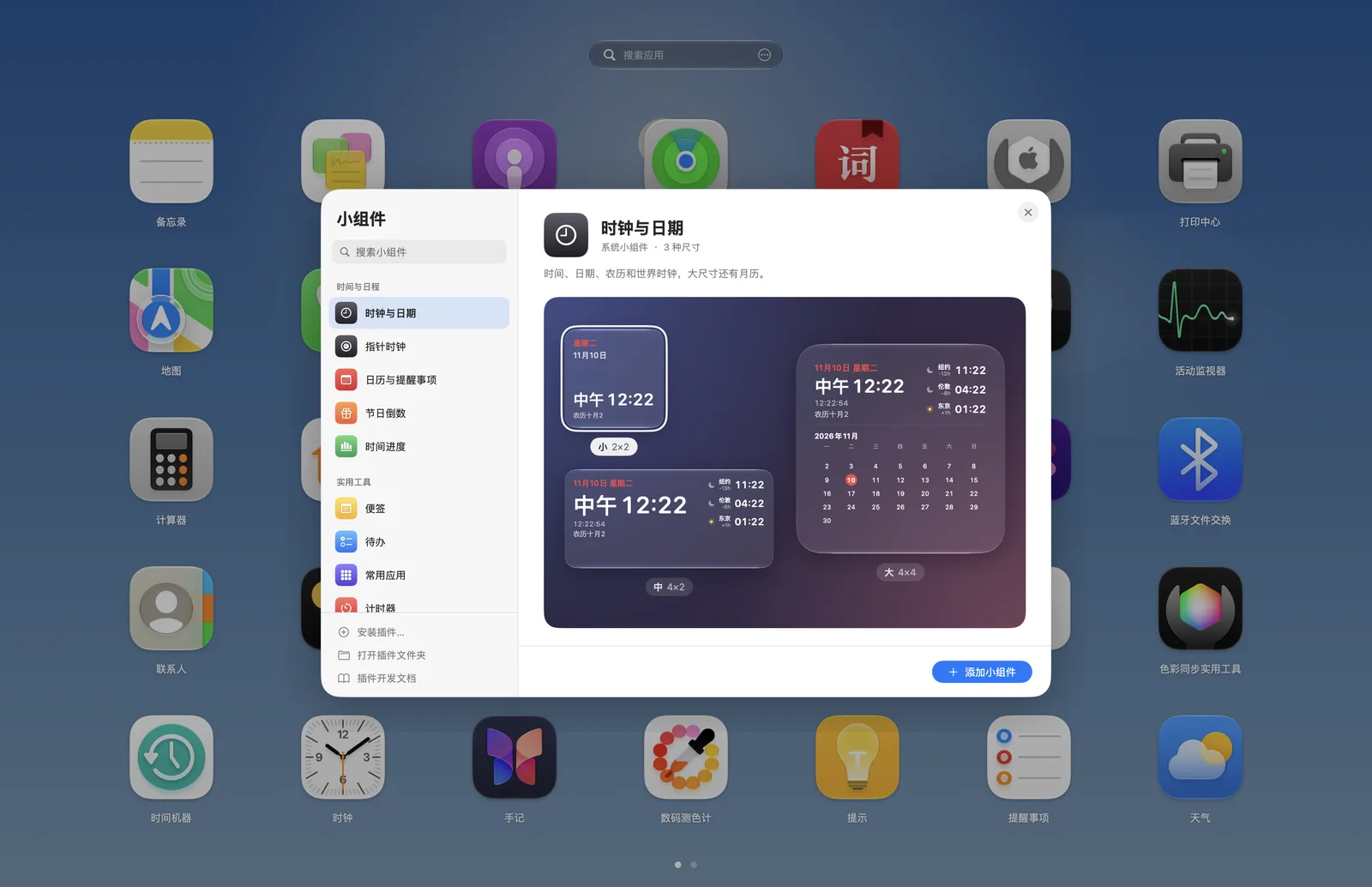
Widgets
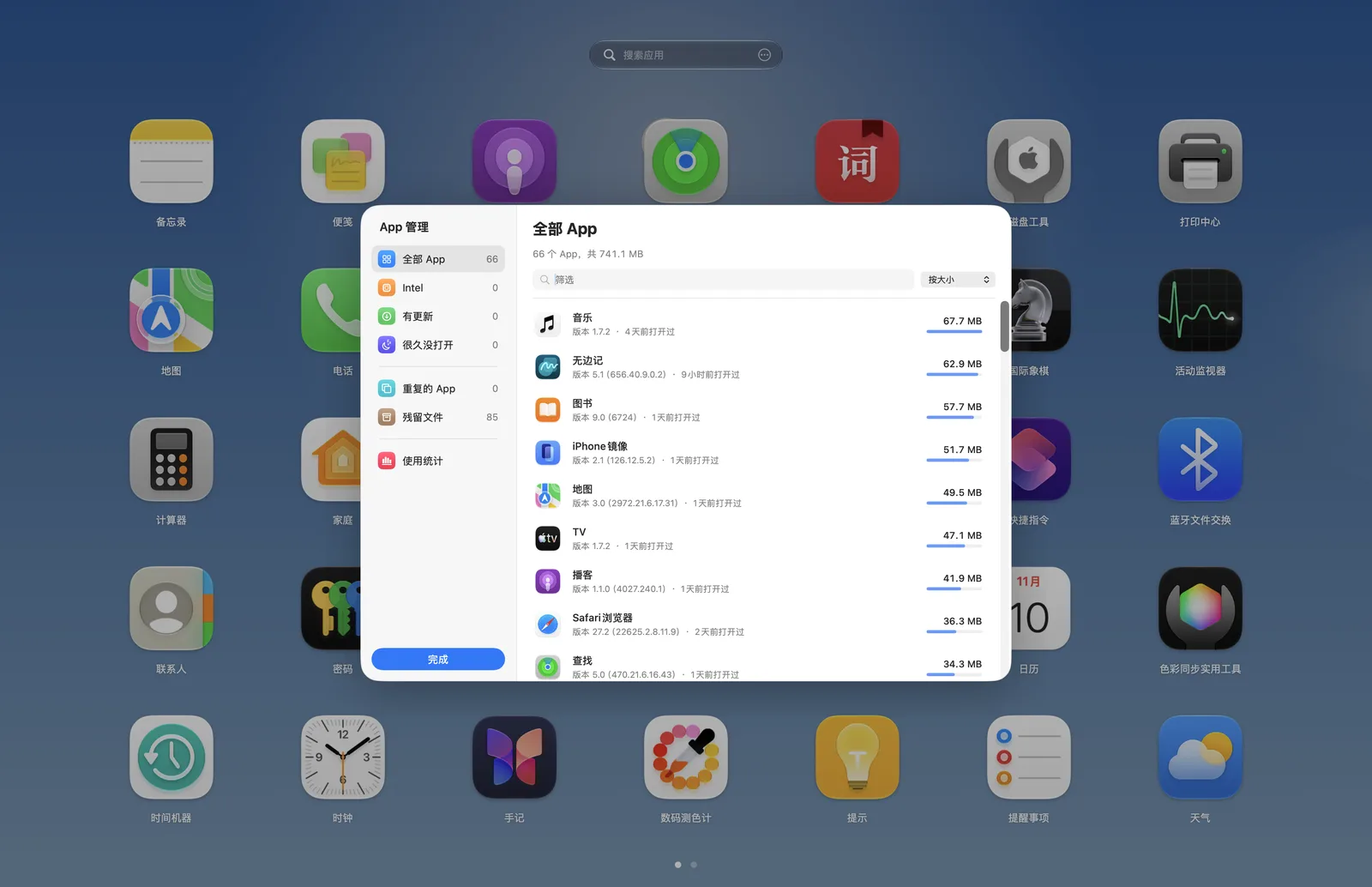
Uninstall with the leftovers
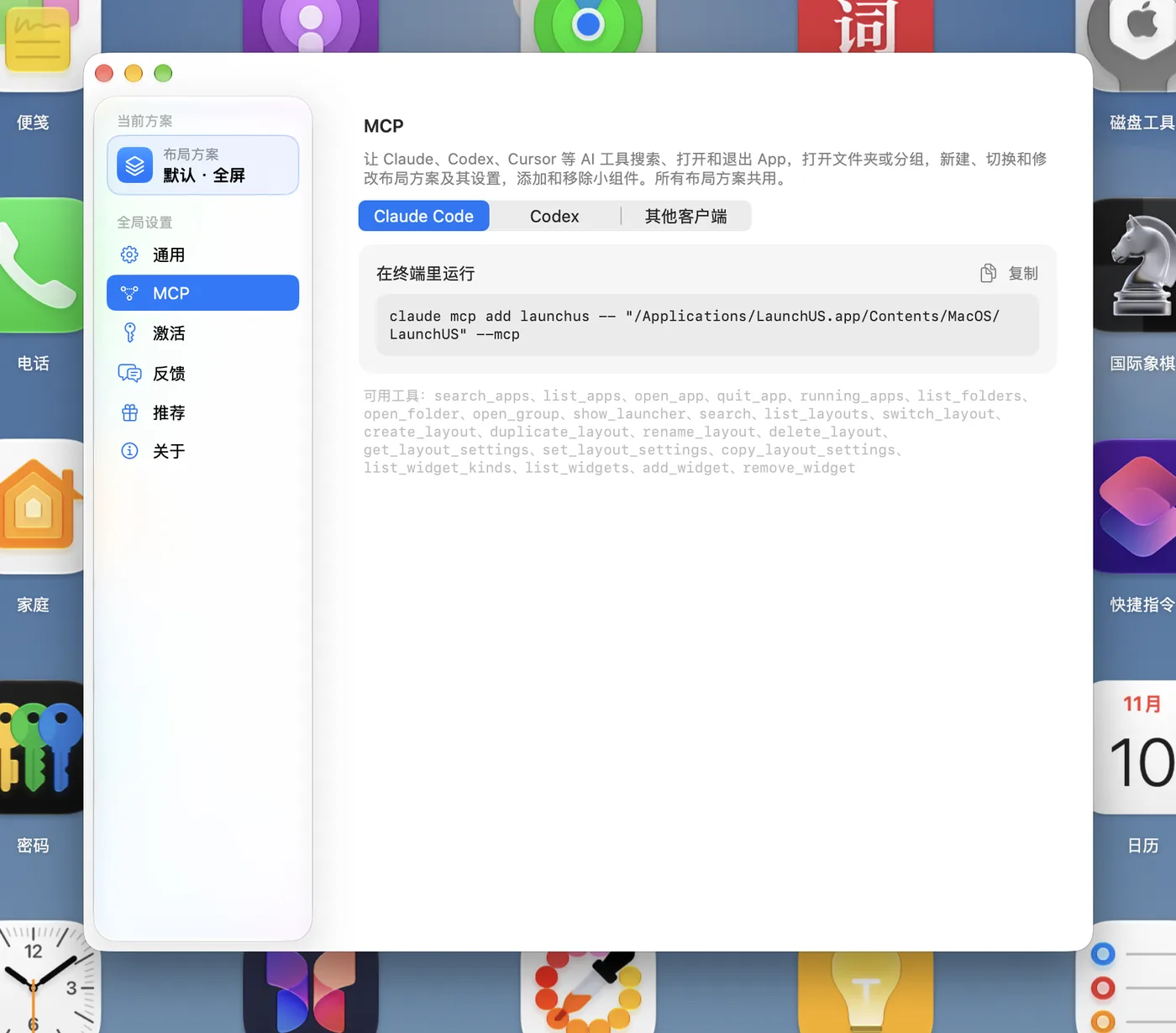
Other AIs can use it
Three steps
It’s not on the App Store, so you allow it once the first time.
- 1
Drag to Applications
Open LaunchUS.dmg and drag the icon to Applications.
- 2
Allow it
When macOS can’t verify the developer, click Done, then Open Anyway in System Settings › Privacy & Security. Only once.
- 3
Press ⌥Space
Your Launchpad layout comes along, and updates install themselves.
Why it’s blocked
Without Apple’s US$99 yearly developer fee, macOS can’t name the developer. Nothing is wrong with the app.
Is it safe?
The source is public on GitHub (a few versions behind the latest) to read and build yourself, and every update’s signature is checked.
One price for everyone
Just you, your family or your whole team, it's the same: every feature, any number of Macs, $0 for good.
- 🧑💻Install it on all your Macs
Just me
One person, one Mac or several
- 🏠Each person gets their own layouts
The whole family
Everyone at home, every Mac
- 🏢No licenses to buy, nothing to register
The whole team
Studios, classrooms and companies
No payment, no email, no sign-up. Download and go.
Like it? Buy the developer a coffee
Sponsorship pays for the server, the Apple developer account and more time to build. Sponsors get an activation code that turns off the daily feedback reminder; every feature stays the same either way.
FAQ
Apple silicon or Intel — which do I download?
Open the Apple menu › About This Mac. If it says “Chip Apple M…”, take the default download; if it says “Processor … Intel …”, take the Intel version. Both have the same features and keep themselves up to date.
How do I open LaunchUS?
Press ⌥Space. You can also turn on the F4 key, a trackpad pinch or a hot corner in settings. Right-click empty space or press ⌘, for settings.
Does it change the system Launchpad or other apps’ data?
No. LaunchUS only reads the system Launchpad data to import it and doesn’t write to other apps’ data — the one exception is Add to Dock in Edit…, which adds that app to your Dock. Your layout is kept in ~/Library/Application Support/LaunchUS.
Is it really free?
Yes. No paid features, no trial, no subscription — and the source code is public under the MIT License.
What is “activation” in Settings? Do I have to pay?
No. Every feature of LaunchUS is free forever, and it works without activation with no limits at all. Activation codes are only for promotion and sponsorship: post about LaunchUS anywhere, upload a screenshot to the creator program (launchusapp.com/creators) and you get one automatically, and friends who want to support us can sponsor through them. Activating shows “Activated” and lets you turn off the daily feedback reminder; nothing else changes.
LaunchUS is new. Is it stable?
The project started in November 2026, so yes, it's new. That's why everything you can check is public: all the code is open source; your layout is backed up after every change and can be restored at any time; and it never changes the system's or other apps' data, so deleting the app puts everything back. If something goes wrong, tell us in Settings › Feedback; fixes usually ship quickly.
Why isn’t it on the App Store?
LaunchUS needs a global shortcut, trackpad gestures and access to the system Launchpad data, which are hard to do inside the App Store sandbox. Download it from this page; it updates itself after that.
Where does AI chat send my data?
With your own gateway, only to the gateway you enter in Settings › AI Gateway, never through our servers; the API key is kept in your keychain. On the public allowance, the conversation passes through LaunchUS’s server to the model provider; the server records how much was used and does not keep the conversation. With neither turned on, nothing goes online. In Settings you can turn off AI actions or allow look-ups only.
Found a bug or want a feature?
Tell us right in the app under Settings › Feedback: pick a category (bug, feature request, update request…) and chat with the developer — replies show up in the same place. You can also post on the feedback forum, see what others have asked for and vote for the features you want.
LaunchUS — a better Launchpad for macOS 26+
For Macs with Apple siliconDownload for IntelFor Macs with an Intel chipDownload for Apple siliconYour Mac has:Apple silicon (M1 or later)An Intel chipNot sure? Check Apple menu › About This Mac.
Blocked the first time you open it? Here’s what to do